When to Use HDR in Photography: A Guide to Getting It Right
High Dynamic Range (HDR) photography has sparked mixed feelings among photographers. Some love it for the depth and detail it can bring to challenging scenes, while others dislike the overly processed look it can create. The truth is, HDR can be a powerful tool, but it’s not always the best choice for every shot. In this post, I’ll guide you through the situations where HDR truly enhances your photography and where it can do more harm than good.
A Quick Guide: When to Use and Skip HDR
Use HDR for:
- High-contrast scenes where both shadows and highlights matter
- Extreme contrast, like backlit scenes or bright skies with dark foregrounds
- Indoor-to-outdoor shots with large dynamic range
Avoid HDR for:
- Low-contrast lighting or when you want natural, dramatic shadows
- Silhouettes or sunsets
- Portraits or wildlife photography with movement
- Poorly composed images
What is HDR Photography?
HDR stands for High Dynamic Range, which essentially means there is more contrast between the brightest and darkest parts of a scene than your camera can capture in a single exposure. While HDR photography is technically about managing the tone in a scene, it’s often associated with a specific post-processing technique — combining multiple exposures to balance highlights and shadows.
Long before digital photography, Ansel Adams used the Zone System, a method for capturing a broad tonal range on film. In the digital world, HDR does something similar, but with software that helps you balance the scene and enhance the details.
When Not to Use HDR
1. Low-Contrast Scenes
HDR won’t improve scenes with little contrast. In fact, it may just make your images look flat and unnatural. If your scene fits within the camera’s dynamic range, stick to standard processing for a more natural result.
How to Check:
Look at your histogram; if the graph doesn’t touch the extremes (shadows or highlights), you don’t need HDR. Applying it will only lead to overprocessing, flattening the natural contrast.
Example:
A landscape with soft, even light doesn’t require HDR. It’s better to process it normally to keep the natural contrast and vivid colors intact.
2. Silhouettes and Sunsets
Silhouettes depend on the stark contrast between dark shadows and bright backgrounds. HDR would ruin that effect by pulling details out of the shadows and flattening the dramatic contrast.
Example:
For sunset shots, expose for the sky to capture rich colors, letting the foreground fall into shadow for a dramatic effect. HDR would spoil this by lightening those shadows.
3. Over-Eliminating Shadows
While HDR can brighten dark areas, completely eliminating shadows removes depth, mood, and dimension from your images. Shadows help shape the subject and add a layer of contrast that makes an image pop.
Example:
Rather than lifting all shadows, preserve them for depth. Overusing HDR to lighten shadows can make your image look flat and lifeless.
4. Trying to “Fix” a Bad Photo
HDR won’t save a poorly composed shot or bad lighting. If the image lacks focus, or the composition is weak, HDR will only emphasize the flaws by adding too much detail where it isn’t needed.
Example:
A technically detailed but poorly composed shot will remain a boring photo. HDR doesn’t fix composition issues or lack of subject matter.
5. People or Animals
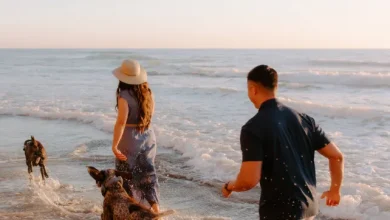
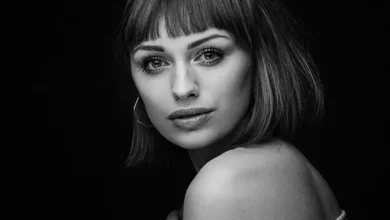
HDR is not ideal for capturing natural skin tones or the fluid motion of animals. You might encounter ghosting (blurred effects due to movement) or unnatural textures in people or animals, which are both hard to correct.
Example:
For portraits or wildlife photography, it’s best to avoid HDR to preserve realistic textures and avoid ghosting from movement between bracketed exposures.
When HDR Works Best
HDR truly shines when the contrast in a scene exceeds what your camera’s sensor can handle. If you’re dealing with scenes where the shadows are pure black and the highlights are completely overexposed, HDR can help balance the exposure and capture more detail in both extremes.
Best Use Cases:
- Backlit Landscapes: When the sky is much brighter than the foreground, HDR can help reveal the details in both areas.
- High-Contrast Interiors: If you’re shooting an interior with bright windows and deep shadows, HDR can ensure that both the indoor and outdoor elements are visible.
- Dramatic Skies: When capturing landscapes with striking clouds or skies, HDR can help balance the intense light and dark areas.
Example:
For a vineyard shot with extreme light and shadows, HDR can merge multiple exposures and help capture the full range of details, from the sunlit vines to the shaded areas.
Practical Tips for Using HDR
1. Bracket Your Exposures
When you shoot HDR, you’ll need to take multiple shots at different exposures (usually -2, 0, and +2 stops) and then merge them. This ensures that you capture all the tonal details in both the shadows and highlights.
2. Don’t Overdo It
HDR is a tool, not a default setting. Overprocessing your photos can lead to unnatural effects, such as halos or muddy colors. Use HDR when needed, but always aim for natural results.
3. Keep Composition in Mind
HDR won’t fix poor composition. If your framing or subject matter is weak, HDR will only highlight those issues. Focus on getting the shot right first before using HDR to enhance the details.
Conclusion
HDR can be a fantastic tool when used in the right circumstances, but it’s important to know when it will benefit your photos and when it might just make things worse. Use it for high-contrast scenes where detail in both the shadows and highlights is essential, but avoid it for scenes that don’t need it or where shadows are key to the mood. By understanding the strengths and limitations of HDR, you can enhance your images without overdoing it.